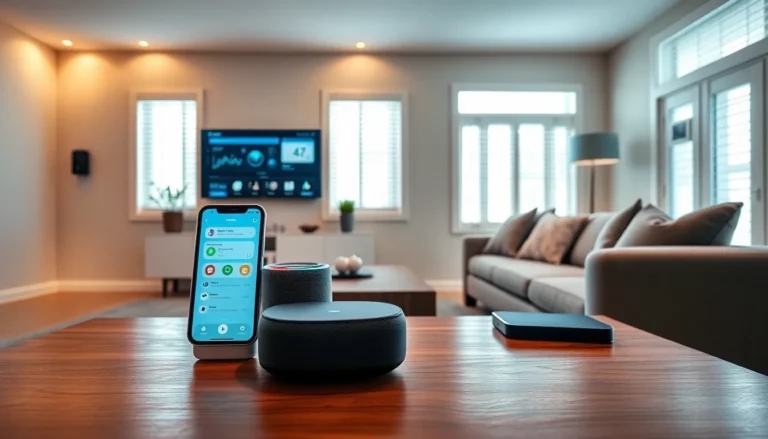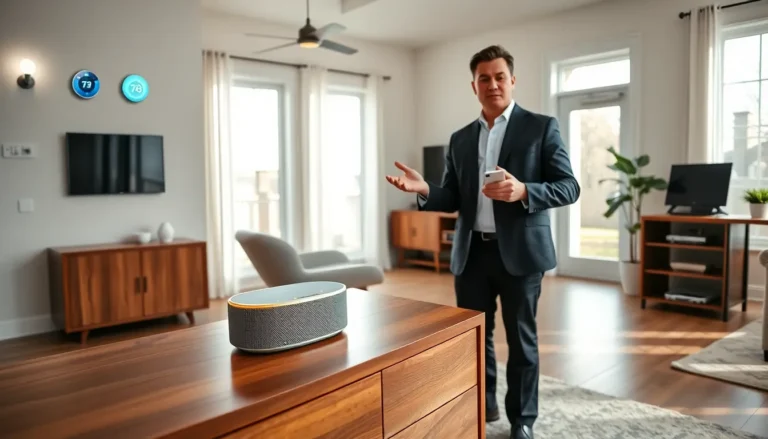

Smart home tech for beginners doesn’t have to feel overwhelming. In fact, turning a regular house into a connected home is easier than most people think. Smart devices now handle everything from lighting and security to coffee makers and thermostats. They respond to voice commands, follow schedules, and learn user preferences over time.
This guide breaks down the basics. It covers what smart home technology actually means, which devices make the best starting points, and how to avoid the pitfalls that trip up first-time buyers. Whether someone wants to save on energy bills or simply turn off lights without leaving the couch, smart home tech offers practical solutions that work.
Table of Contents
ToggleKey Takeaways
- Smart home tech for beginners starts with choosing one ecosystem—Amazon Alexa, Google Home, or Apple HomeKit—to avoid compatibility issues.
- Voice assistants like Echo or Nest speakers serve as the control center, letting you manage all connected devices with simple voice commands.
- Smart bulbs and plugs offer the easiest and most affordable entry point into home automation without any rewiring.
- Build your smart home gradually by adding and testing one device at a time before expanding your setup.
- Create automated routines like “Good Morning” or “Goodnight” to turn individual devices into a coordinated, convenient system.
- Secure your smart home by using strong Wi-Fi passwords, enabling two-factor authentication, and keeping device firmware updated.
What Is Smart Home Technology
Smart home technology refers to devices that connect to the internet and can be controlled remotely. These gadgets communicate with each other and with users through apps, voice commands, or automated routines. The “smart” part comes from their ability to learn patterns, respond to triggers, and operate without constant manual input.
A smart thermostat, for example, learns when residents are home and adjusts the temperature accordingly. A smart doorbell sends video footage to a phone when someone rings. A smart lock lets homeowners grant access to guests from miles away.
The technology runs on Wi-Fi, Bluetooth, Zigbee, or Z-Wave protocols. Most smart home devices work with at least one major ecosystem, Amazon Alexa, Google Home, or Apple HomeKit. These ecosystems act as central hubs, letting users control multiple devices from a single app or voice assistant.
For beginners, the key takeaway is simple: smart home tech connects everyday objects to the internet, making them controllable, programmable, and often more efficient. It’s not about replacing everything at once. It’s about adding convenience piece by piece.
Essential Smart Home Devices to Start With
Starting a smart home doesn’t require a massive investment. A few well-chosen devices can make a noticeable difference in daily life. Here are the essentials that smart home tech beginners should consider first.
Voice Assistants and Smart Speakers
Voice assistants serve as the control center for most smart homes. Amazon Echo devices use Alexa, Google Nest speakers run on Google Assistant, and Apple’s HomePod works with Siri. These speakers do more than play music, they answer questions, set timers, read news, and control other smart devices.
For beginners, a voice assistant provides the foundation. Once it’s set up, users can add compatible devices and control them all with simple voice commands. “Turn off the living room lights.” “Lock the front door.” “Set the thermostat to 72 degrees.” The speaker handles it.
Prices range from $30 for entry-level models to $200 for premium speakers with better sound quality. Most beginners start with mid-range options like the Amazon Echo Dot or Google Nest Mini.
Smart Lighting and Plugs
Smart bulbs and plugs offer the easiest entry point into home automation. A smart bulb screws into any standard socket and connects to Wi-Fi. Users can then dim it, change its color, or schedule it through an app.
Brands like Philips Hue, LIFX, and Wyze offer reliable options at different price points. Philips Hue requires a hub for full functionality, while LIFX and Wyze connect directly to Wi-Fi.
Smart plugs turn ordinary appliances into smart devices. Plug a lamp, fan, or coffee maker into a smart plug, and suddenly it responds to voice commands and schedules. These plugs typically cost between $10 and $25 each.
Smart lighting and plugs let beginners experience automation without rewiring anything. They’re affordable, reversible, and immediately useful.
How to Set Up Your First Smart Home System
Setting up smart home tech takes less time than most beginners expect. The process follows a consistent pattern across most devices.
Step 1: Choose an ecosystem. Pick Amazon Alexa, Google Home, or Apple HomeKit as the primary platform. This decision matters because devices work best within a single ecosystem. Mixing platforms creates compatibility headaches.
Step 2: Start with a voice assistant. Set up the smart speaker first. Download the corresponding app (Alexa, Google Home, or Apple Home), create an account, and follow the on-screen instructions. The speaker will connect to Wi-Fi and guide users through voice training.
Step 3: Add devices one at a time. Don’t rush. Install one smart bulb or plug, connect it to the ecosystem, and test it thoroughly. Make sure voice commands work. Set up a basic schedule or routine. Only add the next device after the first one runs smoothly.
Step 4: Create routines. Most ecosystems let users build automated sequences. A “Good Morning” routine might turn on lights, read the weather, and start the coffee maker. A “Goodnight” routine could lock doors, dim lights, and set the thermostat. Routines turn individual smart devices into a coordinated system.
Step 5: Secure the network. Smart devices connect to home Wi-Fi, so network security matters. Use strong passwords, enable two-factor authentication on ecosystem accounts, and keep device firmware updated.
The whole process, from unboxing to functional smart home, typically takes an afternoon for a basic setup.
Common Mistakes to Avoid as a Beginner
Smart home tech beginners often make a few predictable errors. Avoiding these saves money, frustration, and wasted time.
Buying incompatible devices. Not every smart device works with every ecosystem. Before purchasing, check compatibility. A HomeKit-exclusive device won’t respond to Alexa commands. Read product descriptions carefully and verify ecosystem support.
Overcomplicating the setup. Some beginners buy too many devices at once. They end up with a confusing tangle of apps, hubs, and protocols. Start small. Master the basics before expanding.
Ignoring Wi-Fi limitations. Smart devices need stable internet connections. A weak Wi-Fi signal causes lag, disconnections, and failed commands. Homes with dead zones may need mesh routers or Wi-Fi extenders before adding smart tech.
Skipping firmware updates. Manufacturers release updates that fix bugs and patch security holes. Ignoring these updates leaves devices vulnerable and unreliable. Enable automatic updates when possible.
Forgetting about power outages. Smart devices lose their “smarts” during outages. Smart locks may default to manual mode. Smart lights won’t respond to apps. Plan for these scenarios, keep spare keys accessible and understand how devices behave offline.
Neglecting privacy settings. Voice assistants listen for wake words, which raises privacy concerns for some users. Most platforms offer options to review and delete voice recordings. Beginners should explore these settings and adjust them to their comfort level.